Maybe you’re traveling abroad and don’t want to deal with roaming fees. Maybe you’ve got an old phone you want to repurpose for calls. Or maybe you’re in a spot with no cell service but a solid WiFi connection.
The good news is you don’t need a SIM card or even a traditional carrier plan to make and receive phone calls.
For businesses, the benefits go even further. Switching from a traditional carrier to a VoIP-based phone system can cut your phone bill while giving you features carriers don’t. Depending on the app, you can get shared numbers, call recording, and business tool integrations.
This guide covers how to call without a SIM card using four tested methods. You’ll also find a list of the best providers for Sim-free calling.
How to call without a SIM card: 4 Ways

Calling without a SIM card requires a couple of basic things. First, you need a stable internet connection. This can be WiFi, mobile data, a hotspot, or an Ethernet connection.
Second, you need a device like a smartphone, laptop, tablet, or desktop computer. The device doesn’t need to have a SIM slot.
Let’s break down the most popular methods to call without a SIM:
| Method | Best for | Pros | Cons |
|---|---|---|---|
| Virtual phone number | Businesses needing a dedicated phone number and a professional experience | Get a real phone number that anyone can call, works across all devices, includes business features like shared numbers, call recording, and integrations | Emergency services routing can be difficult since the number isn’t tied to a physical location |
| Internet-based calling apps | Free personal calls to friends and family | Free to use | Can only call other users of the same app, no business features, some apps require a phone number to sign up |
| eSIM | International travelers | No physical SIM card to swap, cheaper international rates than roaming, easy to switch between carriers | Not supported on all devices, no business features like shared numbers or call recording |
| WiFi calling | Quick personal calls over WiFi | Built-in option on many newer phones, free | FaceTime effectively limited to Apple users, Android WiFi calling may require an active carrier plan, no business features |
1. Get a virtual phone number with VoIP
A Voice over Internet Protocol, or VoIP, provider lets you make and receive calls over the internet instead of through a cellular network. This is the best way for businesses to get a second phone number and start making calls without a SIM.
Quo is a phone system for growing businesses that helps you build customer relationships. It gives you unlimited calling and texting in the US and Canada. Plus, you can use it to call from your smartphone, tablet, or computer.
Here’s how to get a virtual number with Quo:
- Sign up for an account. When you sign up, you can try out Quo for free for seven days.
- Choose a phone number. Choose your city or area code in the US or Canada to get your phone number. You can also choose a North American toll-free number. Already have a business number? You can port your existing number to Quo for free once you decide it’s the right fit.
- Start calling. Once you have your number, you can make and receive calls right away from your browser.
- Download the app. After you sign up, you can download the Mac, Windows, iOS, or Android Quo apps.
A VoIP number keeps your personal number private and lets multiple team members take calls from a single phone number. You also get access to features that help you run your business more easily. Think call routing, call and voicemail transcriptions, and texting automations.
2. Download an internet-based calling app
Internet-based calling apps include Facebook Messenger, Microsoft Teams, and WhatsApp. They let you call without a SIM card, but they’re mostly used to call other users of the same platform, not regular numbers. This limits who you can call.
Here’s how to start calling with internet-based apps:
- Start calling. Once set up, you can call other users of the same app over WiFi or mobile data without a SIM card.
- Download your preferred app. Choose your preferred app and install it on your device.
- Set up your account. Create an account using your email address. Note that some apps like WhatsApp require a phone number for initial verification.
3. Get an eSIM
An eSIM, or embedded SIM, is a small chip that comes pre-installed inside your phone. Unlike a traditional SIM card that you physically insert, an eSIM lets you activate a carrier plan by downloading it. You can usually do this by scanning a QR code or using your carrier’s app. You can switch between plans or carriers without ever opening your SIM tray.
Here’s how to get started with an eSIM:
- Check device compatibility. Most newer smartphones support eSIM. This includes the iPhone 11 and later models, Google Pixel 3 and later models, and many Samsung Galaxy phones. Check your device settings for eSIM or digital SIM options.
- Choose a carrier plan. Contact your carrier or use an app like Airalo to find plans. Many major carriers like Verizon, AT&T, and T-Mobile offer eSIM activation.
- Download and activate. Scan a QR code from your carrier or use their app to download the eSIM directly to your device.
eSIM plans usually cost much less for international calls, texts, and data than regular SIM plans. However, they don’t come with business features like auto-replies or voicemail transcriptions.
What if you want to move an eSIM to a new phone? Most modern iPhones and Android phones will walk you through transferring your eSIM during setup. Once the plan is active on your new device, it automatically deactivates on the old one. If the automatic transfer doesn’t work, you can contact your carrier for a new QR code.
4. WiFi calling on your phone
Many newer smartphones have built-in ways to make calls over WiFi without needing a cellular signal. How this works depends on whether you’re an iPhone or Android user.
On iPhone: FaceTime Audio
If you have an Apple device and a WiFi connection, you can make voice calls through FaceTime without a SIM card. It’s free, the call quality is generally good, and there’s nothing extra to download.
Here’s how to set it up:
- Make sure your device is connected to a WiFi network.
- Go to Settings and FaceTime, then sign in.
- Open FaceTime. Tap New FaceTime, enter a contact name, email, or phone number, and tap the audio icon to start a voice call.
FaceTime works natively between Apple devices, but you can also include Android and Windows users. Just tap Create Link in the FaceTime app and share it. The other person can join through Chrome or Edge without installing anything.
FaceTime works well for personal calls, but it has limitations for business use. You can’t call non-Apple users easily, and there’s no way to separate work and personal calls since it uses your personal number or Apple ID.
On Android: WiFi calling
The exact steps to use WiFi calling on Android might differ based on your phone model, but here’s the general method:
- Open your Phone app.
- Tap on the three-dots or hamburger menu.
- Tap Settings. If you have a Pixel phone, tap Calling accounts and tap the SIM card you wish to set up WiFi calling on.
- Find WiFi calling and toggle it on.
There are a few things to keep in mind, though. Not all carriers support WiFi Calling, and some that do may still require an active SIM or plan on the device. Depending on your carrier, you may also incur charges for calls made over WiFi, so check with them before relying on it. Keep in mind that, like FaceTime, WiFi Calling doesn’t come with business features.
What’s the difference between traditional and SIM-free calling?
Internet-based calling sends your voice calls through data networks. This lets you make and receive calls from any device with an internet connection. Plus, it’s quicker to get started and cheaper to maintain than traditional services.
| Feature | Traditional SIM card | SIM-free calling |
|---|---|---|
| Monthly costs | $30-$80+ per month with contract commitments | $15-$30 per month with flexible plans |
| Setup | Carrier store visits are often needed to get a physical card | Download the app and start calling instantly |
| International calling costs | High roaming fees at $1-$5+ per minute | Affordable rates at $0.01-$0.10 per minute |
| Device flexibility | One device only | Works on multiple devices: phone, computer, tablet |
| Business features | Limited to basic calling and texting | Access CRM integrations, analytics, team management tools, and more |
| Network dependency | Works only in cellular coverage | Works anywhere with internet |
| Call quality | Consistent quality in areas with strong cellular coverage, but drops in weak signal zones | HD-quality audio on a stable internet connection |
| Emergency calling | Full 911 support with location detection | Limited 911 support |
Best phone services for calling without a SIM card compared
You have plenty of providers that let you call without a SIM to choose from, but which one is the right fit?
We’ve broken them down for you below:
| Provider | Best for | Starting price | Unlimited calling to US & Canada | SMS, MMS to US & Canada | Additional phone numbers |
|---|---|---|---|---|---|
| Quo | Small and growing businesses needing a dedicated business phone number | $15 per user per month | ✓ | ✓ | $5 per number per month |
| Google Voice | Google Workspace users | Free for personal use, $10 per user per month for business use | ✓ | US only | X |
| Burner | Getting multiple personal numbers | $3.99 per month | ✓ | ✓ | ✓ |
| Line2 | Basic business phone features | $7.99 per month | ✓ | ✓ | $14.99 per number per month |
| 2ndLine | Getting a second number for free | Free with ads | ✓ | ✓ | $4.99 per number per week |
| Verizon Second Number | Using an eSIM with cellular plans | $15 per number per month for existing customers | ✓ | ✓ | X |
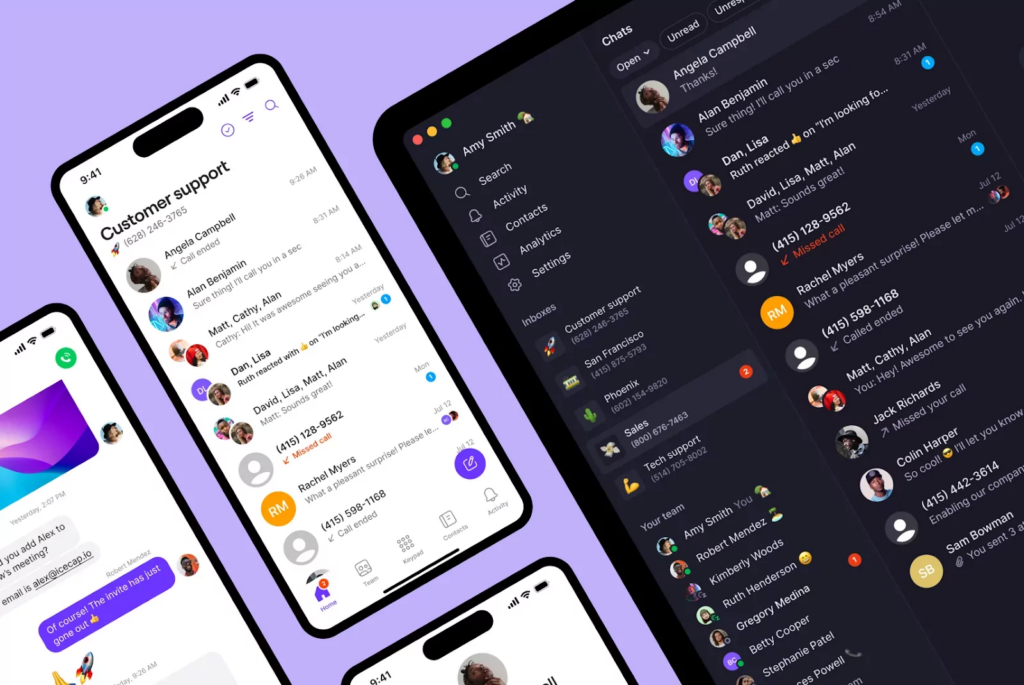
1. Quo: The best option to get a second phone number for businesses
Pros
- Local, toll-free, and vanity numbers are available
- Unlimited calls and texts to the US and Canada
- Shared numbers to split responsibility for incoming calls and texts
- Integrations with 8,000+ third-party apps, including HubSpot and Salesforce
- AI features for call transcriptions, summaries, and action items
Cons
- No verification through two-factor authentication*
*Nearly all virtual phone numbers share this problem. Companies like Facebook, Uber, and Google rarely let you authenticate accounts through a virtual phone number.
Quo is a VoIP phone service that can add a business number to your existing mobile phone. It’s easy to create a professional phone experience. You can set business hours, create custom voicemail greetings, and set up a phone menu so customers know when they can reach your team.
Here’s how you can make your business communications more efficient with Quo:
- Easily use Quo from your computer, laptop, or smartphone
- Save time texting with auto-replies, snippets, and scheduled messages
- Answer calls 24/7 with your AI voice agent, Sona
- Use internal threads to tag teammates on customer communications, and work together behind the scenes
- Catch up on conversations faster with call recordings and instant AI call summaries and transcriptions
- Automate manual workflows by integrating with your CRM, Slack, email, and 8,000+ tools with our Zapier integration
- Surface business trends and competitor mentions with AI call tags
Don’t just take our word for it: Quo is the #1 business phone for customer satisfaction on G2. We make it easy to manage your business calls and texts without sacrificing the privacy of your personal number.
Ready to get a second phone number? Start a free seven-day trial and download the Quo app to your computer, iPhone, or Android device. Most users start calling directly through their internet connection in under 15 minutes.
Get started with one of these phone numbers
Or choose from thousands more local or toll-free numbers:
Virtual phone number look-up
Key features of Quo
- One free local US or Canadian number or a North American toll-free number per user
- Free SMS and MMS support to the US and Canada
- Free calls to the US and Canada
- Shared numbers
- Call forwarding to phones and computers
- IVR or phone menus
- Text messaging automations like snippets, auto-replies, and scheduled messages
- Quo AI voice agent Sona
- Call recording, both on-demand and automatic
- Voicemail-to-text transcriptions
- Integrations with Slack, Zapier, Make, Google Contacts, Jobber, HubSpot, Salesforce, and more
- Quo API to unlock more integrations
Quo pricing

Quo’s pricing offers three different plans for getting a second phone number. These include:
- Starter: $15 per user per month for free calling and texting in Canada and the US, on-demand call recording, texting automations, voicemail transcriptions, access to our AI voice agent, Sona, and more
- Business: $23 per user per month for CRM integrations like Salesforce and HubSpot, call transfers, analytics and reporting, phone menus, and more
- Scale: $35 per user per month for dedicated onboarding, priority chat and email support, inbound phone support, and AI call tags
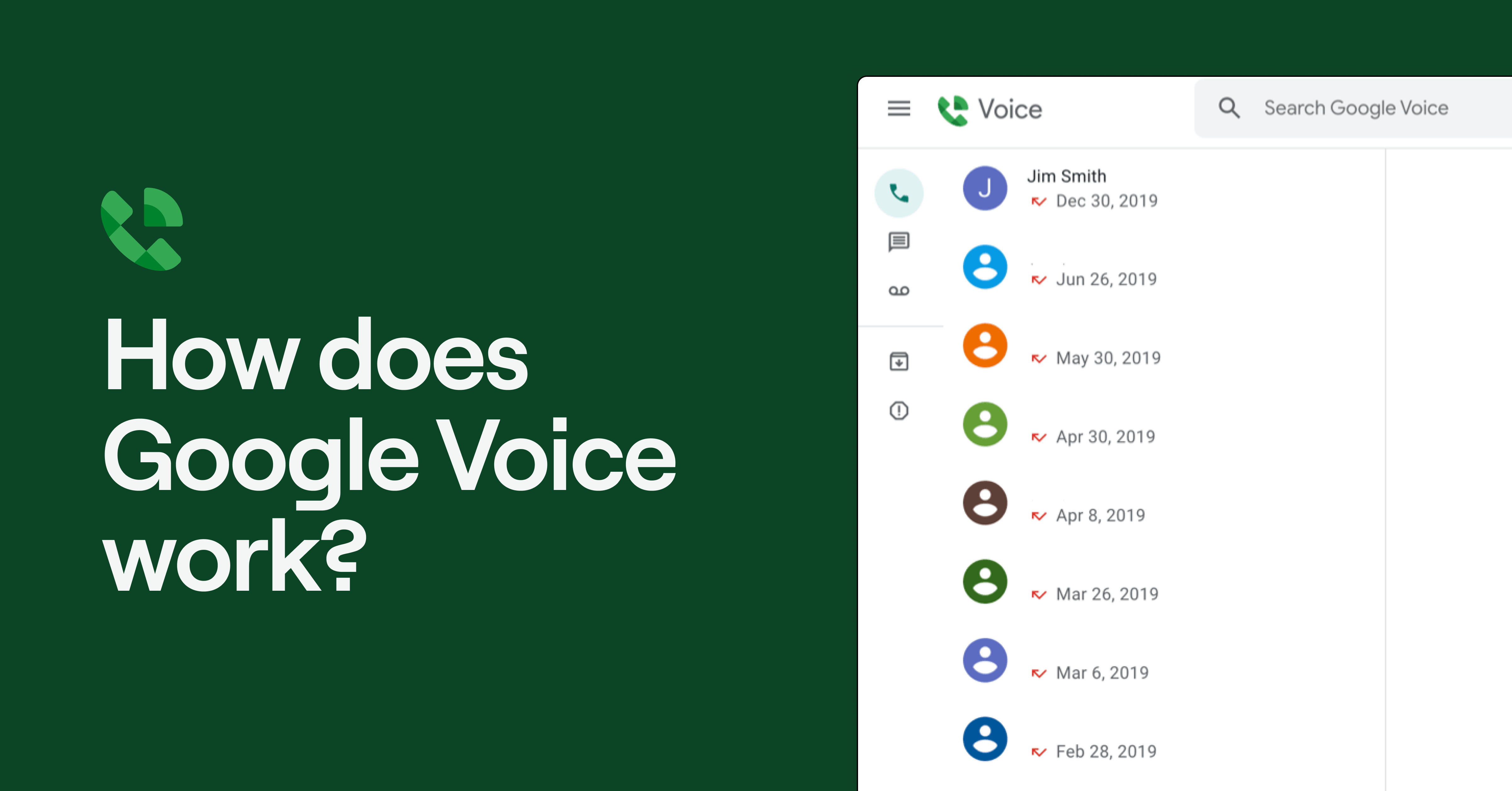
2. Google Voice: Second phone number for Google Workspace users

Pros
- Unlimited domestic calling
- Free limited plan for personal users
Cons
- Business SMS support for US customers only
- No third-party integrations outside Google Workspace
- No toll-free numbers or desktop apps
- Texting is available in the US only
If you’re looking for a free second phone number for personal use, Google Voice’s free version may be a good fit.
Personal users can get a Google Voice number for free and unlock unlimited calling and texting in the US using WiFi or your carrier’s plan. The free plan also comes with voicemail transcripts and call forwarding. But if you’re located outside the US, you can’t access this version of Google Voice.
If you run a business, you have two choices:
- Purchase a Voice-only plan with basic features like unlimited domestic calling, unlimited US texting, and voicemail transcription. But this plan is only available in the US and for one user.
- Add Google Voice to a Google Workspace plan. These plans are available in 14 countries and allow for at least 10 users. This will cost you at least $10 per user per month, plus at least $7 for Workspace.
Whether you choose the Voice-only or Workspace plans, the features you get are limited compared to other business VoIP apps.
For example:
- Google Voice doesn’t support toll-free numbers.
- Unlimited texting is only available in the US.
- Basic features like on-demand call recording, ring groups, and phone menus require multiple upgrades.
- There are limited integrations with tools outside Google Workspace.
So if you want a free second phone number app for personal use or a new number for buying and selling on Craigslist, Google Voice may be a solid choice. Otherwise, businesses should look elsewhere for a solution that has the features they need.
You can learn more about Google Voice’s pros and cons in our comprehensive guide.
Key features of Google Voice
- Unlimited domestic calling
- Unlimited US texting
- Ring groups with an upgrade
- Multi-level auto attendant with an upgrade
- Call recording with an upgrade
Google Voice pricing

For individuals, Google Voice is free.
For businesses that want a second phone number, you can choose from one of four Google Voice plans:
- Voice only starter: $10 per month for one user, one phone number, unlimited domestic calling and US texting, three-way calling, and call recording; only available in the US
- Starter: $10 per user per month* for a maximum of 10 users, unlimited calls and texts in the US and Canada, call forwarding, and Google integrations
- Standard: $20 per user per month* to access on-demand call recordings, ring groups, and phone menus
- Premier: $30 per user per month* to access automatic call recordings and advanced reporting
*You’ll also have to pay at least $7 per user per month for Google Workspace.h.
3. Burner: Second phone number option for multiple personal numbers

Pros
- Purchase up to 100 phone numbers at once on iOS
- Unlimited calls and texts
- Ad-free
- Spam filters
Cons
- Not meant for businesses
- No integrations
- No call recordings
- No auto-attendants
- Not reliable enough for business calls
Burner is a second phone number app that allows you to create a pseudo phone number. On iOS, you can buy up to 100 numbers, and on Android, up to 10. Then, easily switch between them in your inbox and delete your alternate phone numbers whenever you want.
The Burner app uses a VoIP call forwarding service to send voice calls and texts to your existing phone. Each plan gives you unlimited calls, texts, and spam-blocking to filter unwanted calls and messages. There are also do-not-disturb settings to prevent incoming calls 24/7. Finally, you can set up auto-reply texts. This lets you set boundaries for your time after hours.
Key features of Burner
- Unlimited calls and texts in the US and Canada
- Text message auto-replies
- Spam call filtering
- Occasional free trial in-app
Burner pricing

If you sign up through the web, you can choose from these Burner pricing plans:
- 12 Months: $47.99 per year, or $3.99 per month, for one number billed annually
- 1 Month: $7.99 per month for one number billed monthly
You can also buy credits to set up a prepaid burner. This gives you 50 minutes of calling and 100 texts and expires in 30 days. Burner’s support materials aren’t clear about the price of credits, though.
4. Line2: Best for basic business phone features
Pros
- Unlimited calls and texts in the US
Cons
- No integrations
- No text message templates
- Buggy Android app, according to reviews
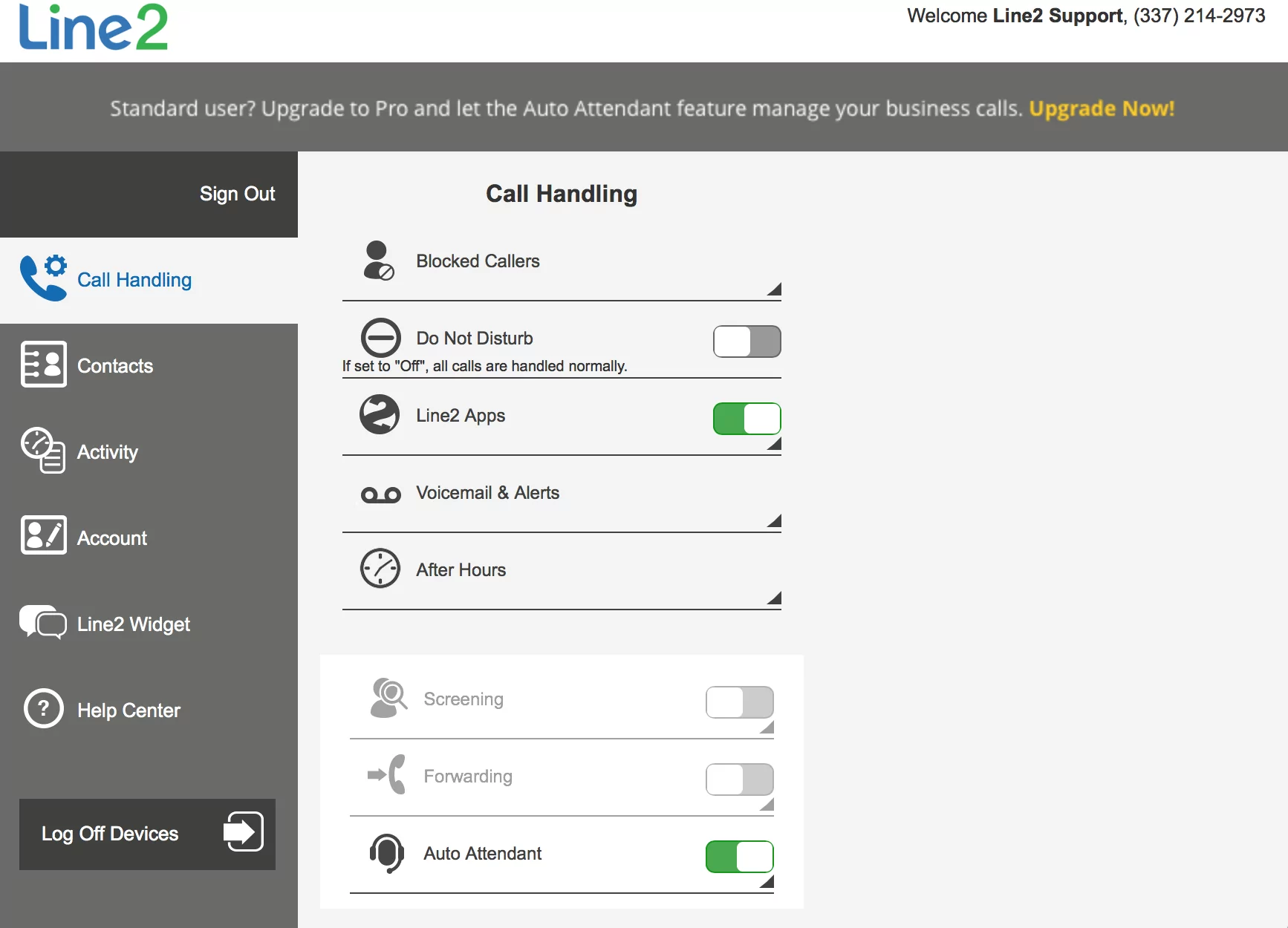
Line2 is a simple second phone number app designed for solo business owners. Like other apps on this list, it offers the basic features you need to make calls. For example, you can get call forwarding, call blocking, and voicemail transcriptions.
But Line2 isn’t great if you’re scaling your operations. For example, there are no:
- Integrations
- Text message templates, or snippets
- AI message responses
- Integrations
- Call transcriptions
- Auto-replies
The user interface is also quite outdated, so it might not be everyone’s cup of tea.
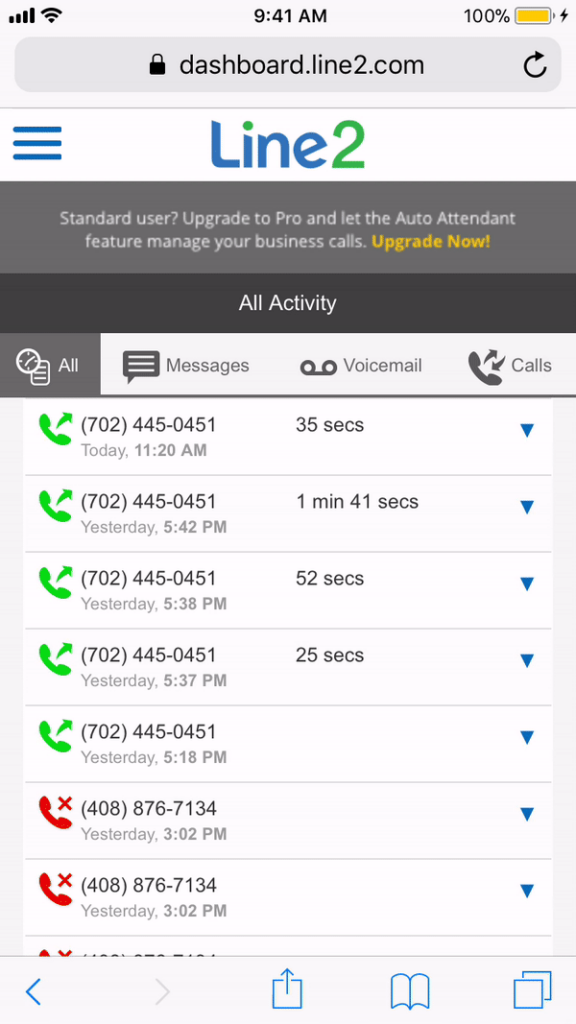
Line2 is a solid upgrade from using your private phone number for business. But if you’re looking to expand your team, it doesn’t match up to other VoIP providers.
Key features of Line2
- Unlimited calling in the US and Canada
- SMS and MMS
- Call forwarding
- Caller ID
- Voicemail recordings
- Voicemail transcriptions
Line2 pricing

There are two ways to pay for a second number through Line2:
- Monthly: $9.99 per month billed monthly
- Annual: $7.99 per month billed annually
5. 2ndLine: Best free second phone number option
Pros
- Mobile phone and tablet support
- Offers international calling
Cons
- Ads run in the free version of the app
- No features built for business use
- No automation capabilities
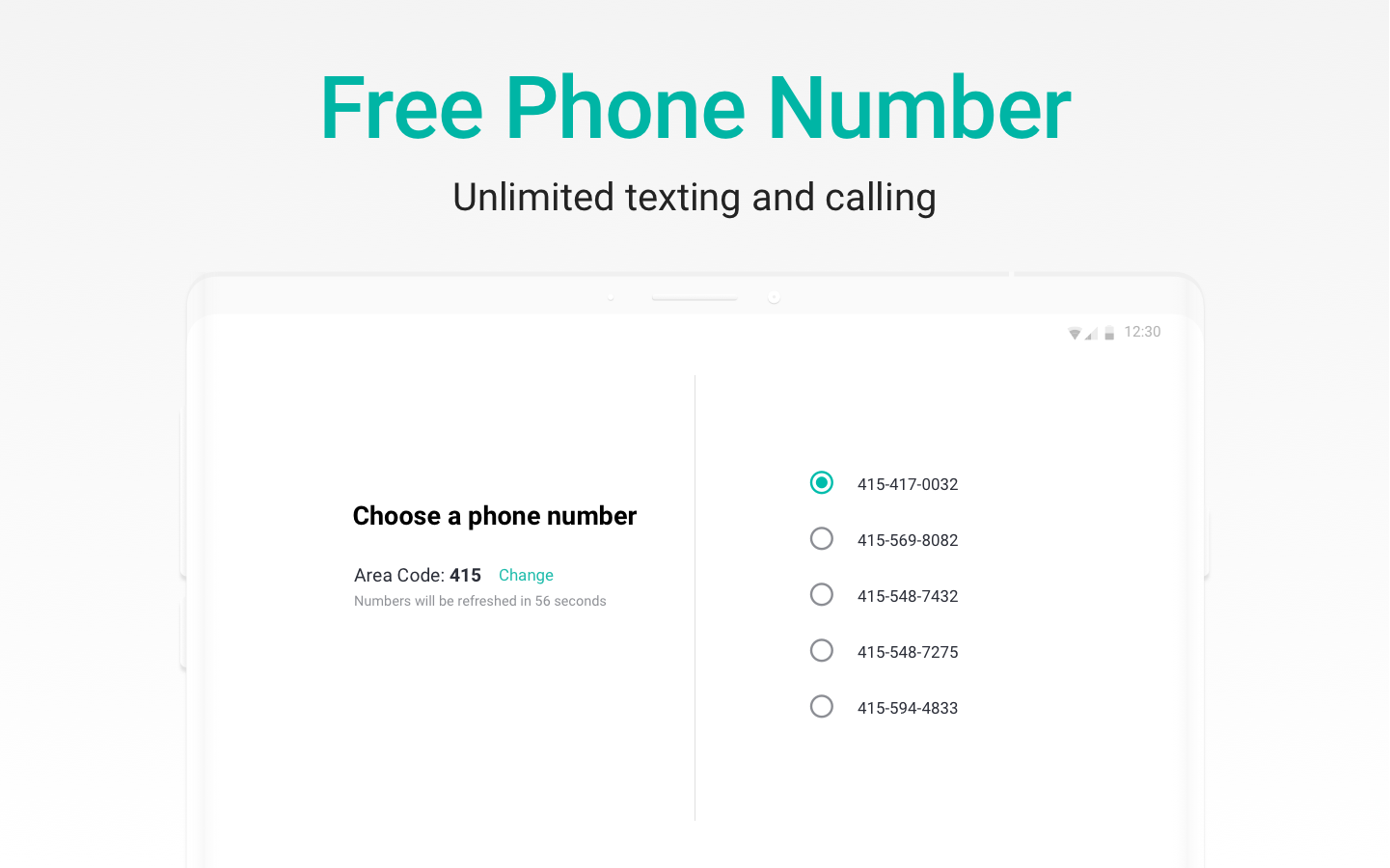
Need a second business line for your cell phone or for personal use on your Android or Apple device? 2ndLine might be the right option for you. It offers free unlimited calls and texts in the US and Canada over WiFi or data and lets you make international calls at affordable rates.
2ndLine may be a decent option if you’re a personal user who wants to keep costs low. But don’t expect any special features from 2ndLine. You won’t find shared numbers, integrations, call transcriptions, or messaging automations. This makes the tool unsuitable for business users.
⚠️Note: There’s another app by the name of 2ndLine, with the domain name 2ndlyne, which has a paid subscription model. The correct free app is supported by TextNow. So make sure to download the right one.
Key features of 2ndLine
- Unlimited free calls in the US and Canada
- Supports group messaging
- Call forwarding
- Voicemail recording
- Supports SMS and MMS
2ndLine pricing
You can download 2ndLine on your mobile phone for free. However, extra features that most businesses need require an upgrade or an in-app purchase.
6. Verizon Second Number: Best for using an eSIM with cellular plans
Pros
- Unlimited talk and text in the US, Canada, and Mexico
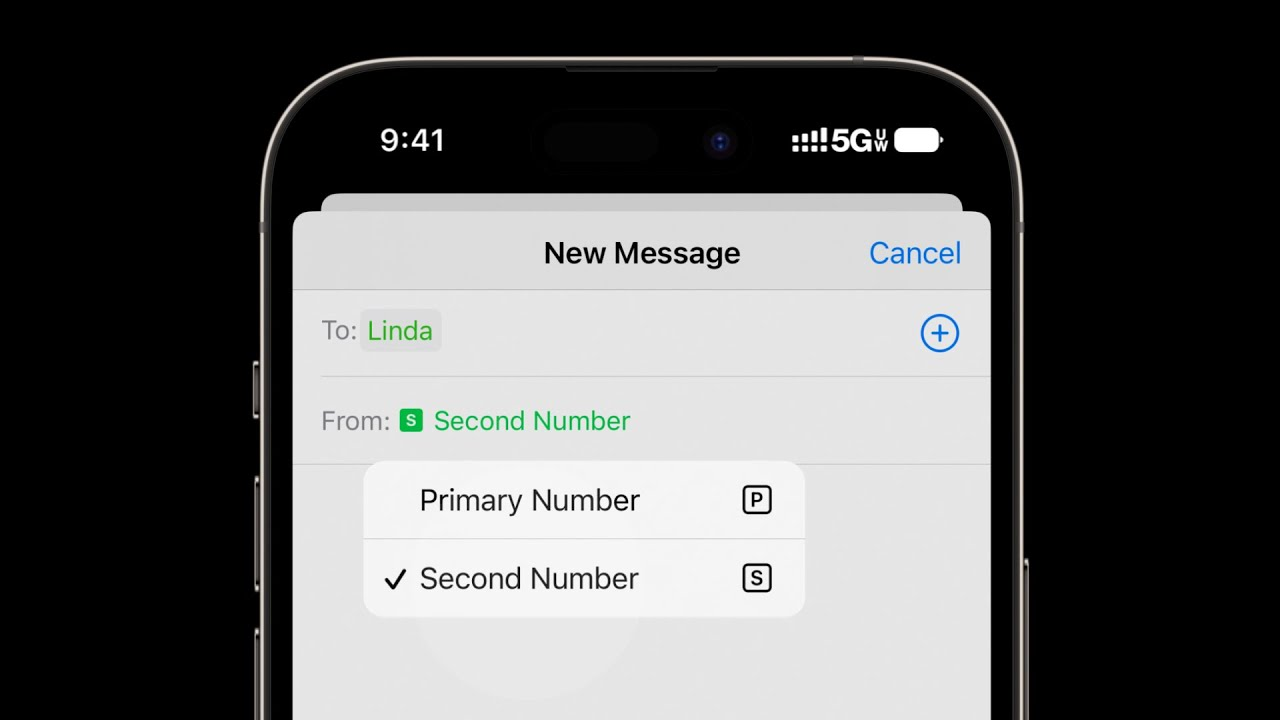
- Easy to switch between your primary and secondary numbers
Cons
- Requires a dual SIM device
- Requires an existing Verizon plan
- Some users report features like visual voicemail work unreliably on the second number
Verizon’s Second Number service gives new and existing customers the option to add a second phone number to an existing device. The second number includes unlimited calling and texting within the US, Mexico, and Canada. However, if more than 50% of your usage is in Mexico or Canada over a 60-day period, Verizon may discontinue the service.
To qualify, you need a primary number on an eligible plan and a device that supports dual SIM. Just know that Verizon Second Number isn’t meant to support business use. You only get calling and texting, and no useful features like call recording, auto-replies, or call routing.
Key features of Verizon Second Number
- Unlimited talk and text in the US, Canada, and Mexico
- Spam call filtering
- Works on your primary device
Verizon Second Number pricing
Verizon’s second phone number costs $15 per month per number. You’ll also need to pay for a primary number through one of their pricing plans. On select unlimited plans, you can get the Second Number for $10 per number per month. The exact pricing varies, so get in touch with Verizon for an exact quote.
Mistakes to avoid when calling without a SIM card
Before you choose a provider, think about these common problems:
- Not testing call quality before making important calls. SIM-free calling depends on your internet connection, so always do a quick test call.
- Ignoring data usage implications. Many users overlook how much data virtual services use, which can lead to unexpected overage charges if you’re not on an unlimited plan.
- Overlooking emergency calling limitations. Understand your provider’s 911 support restrictions upfront. Emergency calls are limited on many VoIP services compared to traditional carriers. That’s because numbers aren’t tied to a physical location.
- Choosing a provider based on cost alone. The lowest-priced providers might have unexpected costs. You may end up sacrificing call quality, reliability, or essential business features that your team needs.
How to choose the right SIM-free calling provider

Choosing the right SIM-free service provider comes down to a few common factors:
- Essential features. Start by making a list of features you absolutely need. For most businesses, this includes voicemail transcription, shared numbers, and call recording. You might also need a phone menu and automations features, like auto-replies, to save your team time.
- Number portability. Look for providers that offer free number porting. This way, you keep your existing business number without confusing customers or losing contacts.
- User reviews. Check reviews for each platform. If you see the same complaints come up consistently, check them off your list. Some of the best review sites include G2, Capterra, and TrustPilot, as well as forums like Reddit.
- Integrations. Choose a service that connects with the tools you already use daily. These include your CRM, Slack, or email, so you can streamline workflows instead of juggling multiple platforms.
- Scalability. Pick a provider that makes it simple to add new users or numbers as your team grows, without a complex setup or expensive hardware.
- Free trials. The best solutions let you try out the app without forcing you to talk to sales or purchase a plan. During the trial, test call quality, collaboration features, and how easily it fits into your workflow.
- Security compliance. The tool should meet industry standards for data protection and encryption. This is especially important if you handle sensitive customer information. It’s also a legal requirement in regulated industries like healthcare.
- Cost transparency. Look for clear, upfront pricing. Watch out for hidden fees, overage charges, or surprise costs that can blow up your monthly budget. The app’s support pages are usually a good place to look for the fine print.
Quo: The best way to call without a SIM card

Quo makes calling without a SIM easy and reliable for businesses of all sizes. It offers clear call quality, unlimited calling to the US and Canada, and collaboration features like shared numbers.
Unlike other providers that charge extra for hidden fees or limited features, Quo offers clear pricing starting at $15 per user per month. You get useful features, including voicemail transcripts, shared phone numbers, and free number porting. And that’s just the base plan.
Ready to ditch your SIM card and upgrade your business communications? Start your free seven-day trial with Quo today.
FAQs
Internet calling uses your internet connection to call and text. It doesn’t route calls through traditional cell towers. When you speak, the app or service converts your voice into data packets. Then, it sends them over the internet to the person you’re calling and converts them back into audio on their end. This is the technology behind VoIP services like Quo, as well as apps like WhatsApp and FaceTime.
To call someone without a SIM card on an iPhone, use a VoIP app like Quo. For personal calls to other Apple users, you can also consider FaceTime. WhatsApp and Messenger work too, though they’re limited to calling people who use the same app.
Keep in mind that FaceTime and free calling apps don’t offer features like call recording, shared numbers, or CRM integrations. There are also security considerations. Calls made over public or unsecured WiFi networks can be vulnerable to interception. So consider using a trusted network or a VoIP provider with built-in encryption.
Simply sign up for an account, download the Quo app, and start making calls over WiFi or cellular data within minutes.
Yes, it’s possible to call without a SIM card. To do that, you need an internet-based calling service like Quo. These services send your calls through data networks instead of cellular towers. For personal use, you can also try WhatsApp, Facebook Messenger, Telegram, or Viber.
Yes. You can text over WiFi using VoIP apps like Quo and messaging apps like WhatsApp, Messenger, or iMessage.
Travelers often go SIM-free to avoid expensive international roaming charges. Some people repurpose old phones as backup calling devices without paying for a second carrier plan. Privacy is another factor. Using a VoIP app over WiFi means your calls aren’t routed through a carrier, which avoids cell tower tracking. For businesses, SIM-free calling through a VoIP provider means you can work across multiple devices. It also keeps personal and work numbers separate and gives you advanced business features.
Yes, as long as you’re connected to the internet. With a VoIP provider, you get a real phone number that anyone can call from a regular phone.
Yes, your phone can typically reach 911 through nearby cell towers even without a SIM card. But don’t rely on a VoIP app for emergency calls. Emergency calling support varies by provider and may be limited with virtual services compared to traditional carriers.
WhatsApp, FaceTime, Facebook Messenger, and Telegram let you make free calls over WiFi. But these apps are limited to calling other users of the same app. You can also use Google Voice for personal use for free calls to US and Canadian numbers.